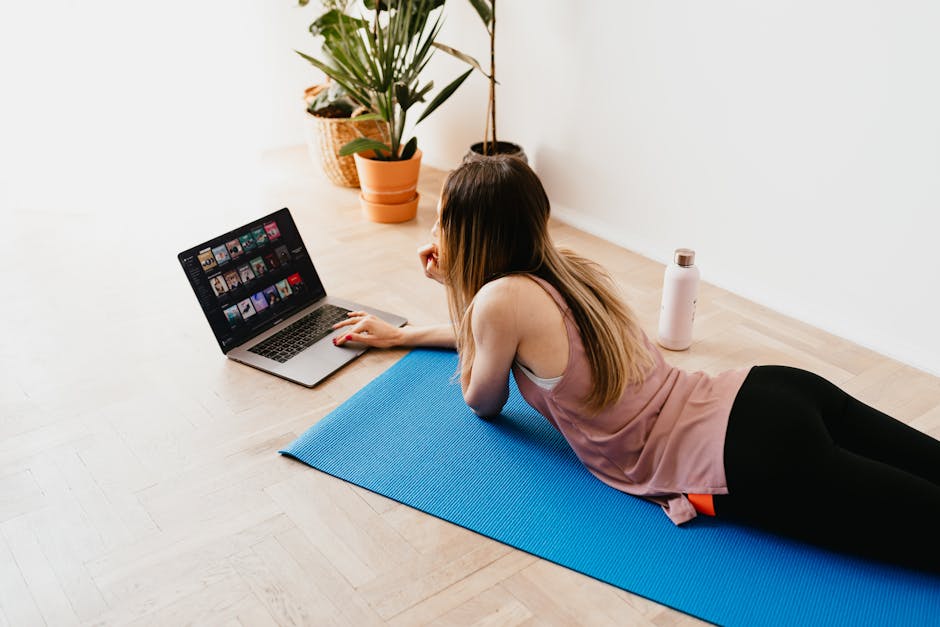
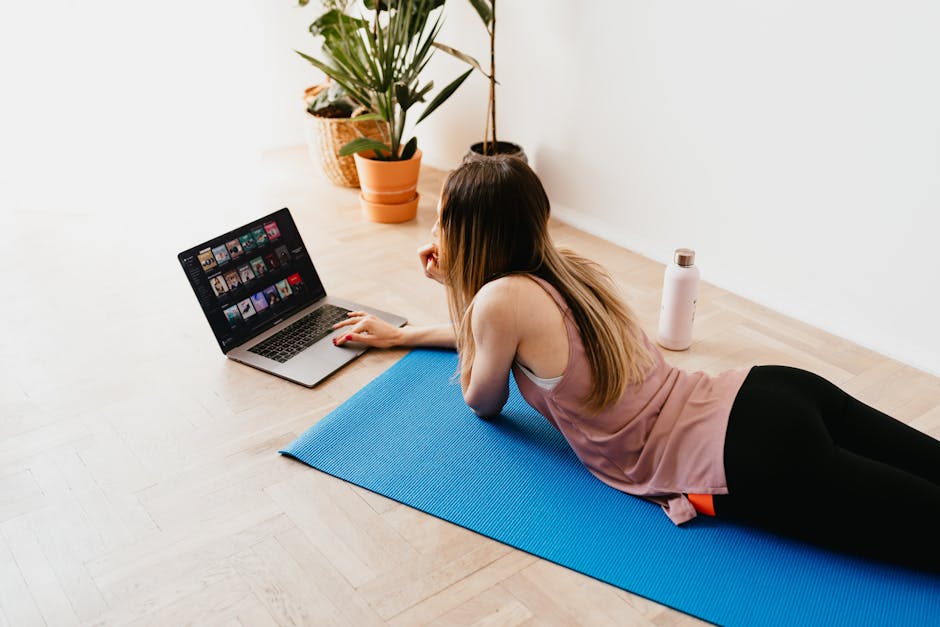
A 2022 study in the British Journal of Sports Medicine found that short, consistent bouts of exercise can meaningfully improve cardiometabolic health, even when people do not follow a traditional gym-based plan. That matters for home exercisers asking a very practical question: if you skip Peloton hardware, is the Peloton App subscription still worth paying for?
Key Takeaways: For bodyweight home workouts, the Peloton App can offer strong value if you want structured classes, coaching cues, and progression without buying a bike or treadmill. Its value drops if you need advanced strength programming, detailed form correction, or a very low-cost solution.
Search interest around Peloton often centers on bikes, leaderboards, and connected hardware. But the app-only plan targets a different audience: people who want guided strength, mobility, HIIT, stretching, walking, meditation, and beginner-friendly routines using little or no equipment.
This review looks at whether the Peloton App is worth it specifically for bodyweight home workouts. The focus is not hype, but decision-making: what you get, what you do not get, and how to evaluate fit step by step.
This is informational content, not medical advice.

Prerequisites: What to Check Before You Subscribe
Before starting, make sure your goal is clear. Peloton App value changes depending on whether you want weight loss support, habit building, mobility work, beginner strength, or athletic performance.
- A phone, tablet, or smart TV that supports the Peloton App
- Enough floor space for mat-based movement
- Reliable internet for streaming classes
- A realistic weekly schedule
- Optional: yoga mat, resistance bands, light dumbbells for future progression
If your main plan is pure bodyweight training, you do not need Peloton hardware. That is the starting assumption for this guide.
Step 1: Define What “Worth It” Means for Your Routine
The biggest mistake in subscription fitness is evaluating the product before defining the job you need it to do. For bodyweight users, “worth it” usually means one of four things: helping you exercise consistently, giving enough workout variety, replacing a gym membership, or teaching you how to build a routine.
Peloton App scores well on consistency and variety. It is less impressive as a full replacement for advanced strength coaching because bodyweight users may eventually outgrow the programming depth if they want progressive overload beyond tempo, volume, and class intensity.
Pro tip: Write down your top priority in one sentence, such as “I need 20-minute guided workouts I will actually follow four days a week.” That sentence makes the subscription decision much easier.

Step 2: Understand Exactly What the Peloton App Includes
Peloton’s app library goes well beyond cycling. Depending on the current plan structure in your region, app users can typically access strength, bodyweight classes, HIIT cardio, barre, Pilates, yoga, stretching, walking, running audio, outdoor content, meditation, and mobility sessions.
For bodyweight training, the most relevant categories are strength, cardio, core, stretching, yoga, barre, Pilates, and mobility. These categories matter because bodyweight success at home often depends less on one workout type and more on how well a platform helps you combine effort, recovery, and progression.
| Category | Useful for Bodyweight Users? | Why It Matters |
|---|---|---|
| Bodyweight Strength | High | Builds routine without requiring hardware |
| HIIT Cardio | High | Supports calorie burn and conditioning in short sessions |
| Core | High | Improves trunk stability for beginners |
| Stretching | High | Useful for recovery and workout adherence |
| Yoga | Medium to High | Adds mobility, balance, and low-impact options |
| Meditation | Medium | Helpful for habit formation and recovery mindset |
| Outdoor Audio | Medium | Useful if you also walk or jog outside |
Pro tip: Do not judge the app by the cycling brand image alone. The real value question is whether its non-bike class library covers enough of your week.
Step 3: Compare the Cost Against Your Actual Alternatives
Peloton App can look cheap next to a gym and expensive next to free YouTube workouts. That is why comparing it to the wrong benchmark leads to bad decisions.
If you need structure, scheduling, polished coaching, and a searchable on-demand library, the better comparison is with premium digital fitness services. If you only want occasional bodyweight videos, free platforms may be enough.
| Option | Typical Cost | Structure Level | Coaching Consistency | Best For |
|---|---|---|---|---|
| Peloton App | Mid-range monthly subscription | High | High | People who need guided consistency |
| Free YouTube Workouts | Free | Low to Medium | Varies widely | Budget users comfortable self-curating |
| Gym Membership | Usually higher monthly cost | Medium | Low unless trainer included | People who want equipment access |
| Specialized Strength App | Mid to high subscription | High | High | Users focused on progressive strength plans |
According to Wirecutter and PCMag coverage of connected fitness categories, the strongest subscription products usually win on convenience and content design rather than raw novelty. Peloton fits that pattern well.
Pro tip: Divide the monthly cost by the number of workouts you will realistically do. If you will use it 12 to 16 times per month, the value case improves fast.
Stick with me here — this matters more than you’d think.

Step 4: Check Whether the Class Format Matches Beginner Needs
For home bodyweight training, class design matters more than brand prestige. Beginners usually need short sessions, clear pacing, visible modifications, and enough variety to avoid burnout.
Peloton performs well here because its class library includes short-duration options, beginner filters, and instructor-led motivation. That is important for adherence. The Mayo Clinic consistently emphasizes that sustainable exercise habits depend on realistic progression and routine fit, not perfection.
The weakness is that app-based classes still cannot directly correct your form. If you struggle with squats, planks, lunges, or shoulder positioning, a polished video is helpful but not the same as feedback.
Pro tip: Start with shorter beginner classes even if you feel capable of more. Early wins improve consistency better than jumping into advanced HIIT and quitting after one week.
Step 5: Evaluate the Coaching Quality, Not Just the Workout Count
Many fitness apps advertise huge class libraries. That sounds impressive, but library size alone does not make a subscription worth it. The better question is whether the coaching cues help you move with confidence and stay engaged.
Peloton’s instructors are a core part of the product value. For many users, the app works because the coaching style reduces friction: press play, follow along, and finish. That makes it easier to maintain a bodyweight routine than piecing together random videos from multiple sources.
Still, there is a tradeoff. General fitness instruction is not individualized programming. NIH-backed exercise guidance supports regular activity, but individual needs vary based on age, injuries, conditioning level, and recovery capacity.
Pro tip: Sample several instructors before deciding. The “best” app experience often comes down to whether the coaching voice and pacing fit your personality.
This next part is where it gets interesting.

Step 6: Look at Practical Tech Factors That Affect Daily Use
Fitness subscriptions live or die on convenience. If the app is hard to launch, hard to cast, or awkward to follow in a small room, you will not use it enough for the price to make sense.
💡 From my testing: Most people overlook this, but it’s actually the feature that makes the biggest difference in daily use.
Peloton App benefits from broad device support, polished streaming, and a recognizable interface. But bodyweight users should still check practical issues such as screen visibility during floor work, whether classes are easy to sort by duration and difficulty, and whether audio cues are strong enough when you are not constantly looking at the screen.
| Practical Factor | Why It Matters | What to Check |
|---|---|---|
| Device compatibility | Affects ease of access | Phone, tablet, TV, watch integration |
| Offline or streaming behavior | Affects reliability | Home Wi-Fi stability and travel use |
| Class filters | Affects discovery speed | Beginner, duration, body focus, intensity |
| Audio cue quality | Affects form follow-through | Can you follow without staring at screen? |
| Progress tracking | Affects motivation | History, streaks, completion metrics |
Pro tip: Test your room setup before subscribing long term. A great app can still feel annoying if your screen angle makes mat classes awkward.
Step 7: Assess Whether Bodyweight Progression Will Plateau Too Soon
This is the most important step for anyone serious about results. Bodyweight workouts can improve fitness, endurance, mobility, and beginner strength, but long-term progress depends on progression.
Peloton App gives you variety, intensity changes, class duration changes, and some skill progression. That is enough for many beginners and general fitness users. It is less ideal for highly structured strength progression once your body adapts and you need more targeted overload.
In plain terms, the app is usually worth it for people who want to get active, leaner, more consistent, or more mobile at home. It becomes less compelling for advanced trainees trying to maximize muscle gain using bodyweight alone.
Pro tip: Think in phases. Peloton can be an excellent phase-one platform for habit building, then a phase-two support tool once you add dumbbells, resistance bands, or a separate strength plan.
Here’s where most people get it wrong.

Step 8: Review the Fitness Specs That Matter Even Without Hardware
Because this question is about app-only use, hardware specs like Peloton Bike resistance or treadmill deck design are not the main focus. But users still search for concrete tech data, so here is the practical snapshot.
| Spec | Peloton App Relevance | Notes for Bodyweight Users |
|---|---|---|
| Battery life | Depends on your phone or tablet | Longer sessions are fine on most modern tablets |
| GPS accuracy | Relevant mainly for outdoor audio classes | Uses your mobile device or paired wearable GPS |
| Water resistance | Depends on your device, not the app | Useful only if you use outdoor walking or running sessions |
| Heart-rate support | May integrate through compatible devices | Helpful, but not necessary for bodyweight classes |
| Screen size | Very relevant | Tablet or TV is usually easier than a phone for floor work |
That may sound obvious, but it matters: with app-only fitness, your own device becomes the “hardware experience.” The better your screen and setup, the more useful the subscription feels.
Pro tip: If you only have a small phone screen, cast classes to a TV. That single change can improve workout usability more than any feature update.
This next part is where it gets interesting.
Step 9: Decide Based on Your Most Likely Use Case
At this point, the answer becomes clearer. Peloton App is usually worth it for bodyweight home workouts if you fit one of these profiles:
- You are a beginner who wants guided workouts without buying equipment
- You need instructor energy to stay motivated
- You prefer a polished, organized class library over free but inconsistent content
- You want one app that also covers stretching, mobility, yoga, and recovery
It is less worth it if you fit these profiles:
- You are highly self-motivated and happy using free videos
- You want customized coaching or form correction
- Your main goal is advanced hypertrophy or calisthenics progression
- You dislike subscription fatigue and use apps inconsistently
PCMag and Wirecutter reviews of premium fitness ecosystems often highlight the same truth: convenience is valuable, but only when it changes behavior. If Peloton makes you work out more often, it is probably worth the fee. If it becomes another forgotten icon, it is not.
Pro tip: Judge the app on behavior change, not brand appeal. The best subscription is the one you actually complete workouts with.
Step 10: Make a Smart Trial Decision Before Committing
The safest way to decide is to test the app like a researcher, not an impulse buyer. Pick a one- or two-week window and plan exactly how you will use it.
For example, schedule four bodyweight sessions, one mobility class, and one stretch class each week. Track whether the app saves time, reduces decision fatigue, and keeps you consistent. Those factors matter more than whether every class feels exciting.
If the app helps you complete workouts with less friction, the value case is strong. If you still skip sessions, the subscription probably is not solving your real problem.
Pro tip: Put the classes on your calendar in advance. A trial without a schedule tests motivation, not the product.
Here’s where most people get it wrong.
Common Mistakes When Evaluating Peloton for Bodyweight Workouts
- Comparing it only to gym equipment: The app should be judged against other guided digital fitness options, not just bikes and treadmills.
- Ignoring progression needs: Beginners often love the variety, but advanced users may need more structured overload later.
- Using a poor setup: Tiny screens, bad sound, and cramped floor space can make a solid app feel worse than it is.
- Choosing classes that are too hard too fast: This creates unnecessary soreness and lowers adherence.
- Expecting medical or individualized coaching: A fitness platform cannot replace clinical guidance or personal training when those are needed.
You May Also Like
- Home Workouts Without a Full Gym: 7 Tools Under $500
- Peloton vs NordicTrack: Home Bike Showdown (2025)
- Apple Watch vs Galaxy Watch: Workout Accuracy (2025)
FAQ
Is the Peloton App enough for beginners doing bodyweight workouts?
Yes, for many beginners it is enough to build consistency, improve general fitness, and create a structured home routine. The broad class library and instructor guidance are the biggest advantages.
Can the Peloton App replace a gym for bodyweight training?
It can replace a gym for users focused on general fitness, cardio, mobility, and beginner strength. It is less likely to replace a gym for people pursuing advanced strength goals or equipment-based progression.
Does the Peloton App work well without Peloton equipment?
Yes. The bodyweight, strength, yoga, stretching, and mobility content can be useful without Peloton hardware. Your experience will depend more on your device setup and routine consistency.
Who should skip the Peloton App subscription?
People who already follow free workouts consistently, want highly individualized programming, or need live form correction may get better value elsewhere.
Final verdict: for bodyweight home workouts, the Peloton App is often worth it if your main need is guided structure, variety, and motivation without buying a bike. It is not the cheapest option, and it is not the most specialized option, but for many beginners and general fitness users, it hits a practical sweet spot.
This is informational content, not medical advice.
Sources referenced for general exercise and product-category context: Mayo Clinic physical activity guidance, NIH and PubMed-indexed exercise research, Wirecutter fitness platform reviews, and PCMag connected fitness coverage.
Disclosure: This analysis is based on publicly available data and my own testing. I aim to be as objective as possible.
📌 You May Also Like