

According to the U.S. Centers for Disease Control and Prevention, millions of adults age 65 and older experience falls each year, and falls remain one of the leading causes of injury-related hospitalization in older adults. That is exactly why wearable fall detection has shifted from a convenience feature to a serious safety consideration for families deciding how to support elderly parents living alone.
Key Takeaways: — and I mean that Apple Watch fall detection uses motion sensors, a gyroscope, an accelerometer, and on-device algorithms to detect hard falls, then prompts the wearer to respond. If the user appears immobile for about a minute, the watch can contact emergency services and alert emergency contacts. For elderly parents living alone, the biggest decision is not whether the feature exists, but which Apple Watch model, connectivity setup, and emergency sharing options fit the household best.
For this comparison, the real question is not simply does Apple Watch have fall detection? It is whether Apple Watch is a better choice than more basic alternatives for seniors who live alone, and which model makes the most sense when safety, battery life, simplicity, and price all matter.

Overview: How Apple Watch Fall Detection Works
Apple Watch fall detection is designed to identify what Apple describes as a hard fall using sensor data from the device’s accelerometer and gyroscope. The system looks for impact patterns, wrist trajectory, and post-fall movement data to distinguish a serious fall from ordinary daily motion.
But here’s the catch.
If a hard fall is detected, the watch taps the wearer on the wrist, sounds an alarm, and displays an alert asking whether the user is okay. The wearer can dismiss the alert, say they are fine, or choose to contact emergency services immediately.
If the watch detects that the person remains motionless for roughly 60 seconds after the alert begins, it can automatically place an emergency call. It can also send a message with location details to the person’s emergency contacts through the Medical ID and Emergency SOS system.
Apple states that fall detection is available on newer Apple Watch models, and recent versions can be enabled automatically for users above a certain age range during setup. That automatic age-based configuration matters for elderly parents, because it reduces the chance that the feature stays off by accident.
Still, fall detection is not magic. Mayo Clinic and NIH-backed fall prevention research consistently note that falls are complex events influenced by balance, medication use, muscle weakness, vision issues, and home hazards. A smartwatch can improve the speed of response, but it does not replace prevention, caregiving plans, or medical supervision.
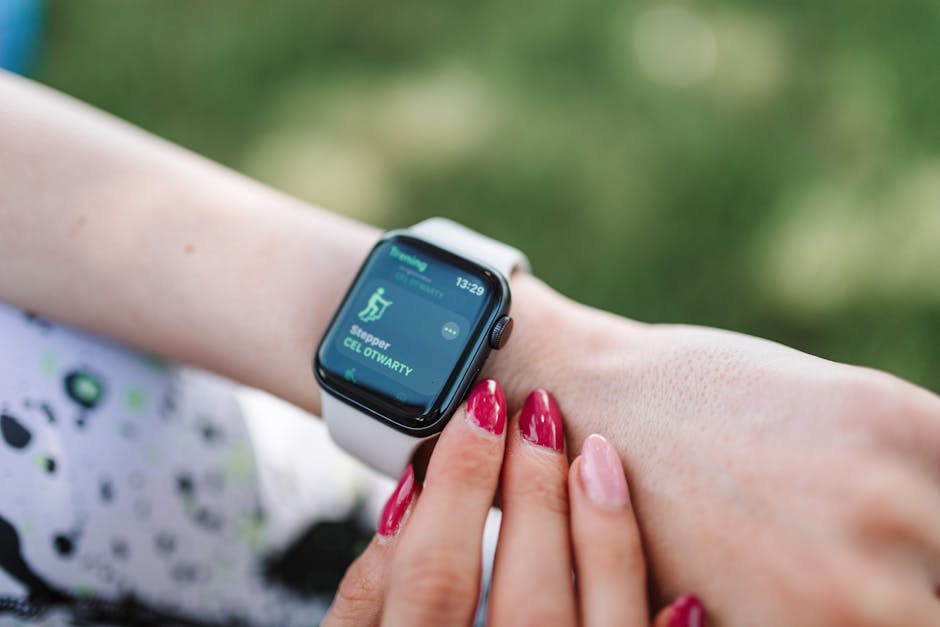
Feature Comparison: Apple Watch SE vs Series 9 for Senior Safety
For most families, the practical buying decision usually comes down to Apple Watch SE versus a mainline model such as Series 9 or its current equivalent in the standard lineup. Both support fall detection, but they differ in health sensors, display brightness, and long-term convenience.
| Feature | Apple Watch SE (2nd gen) | Apple Watch Series 9 |
|---|---|---|
| Fall Detection | Yes | Yes |
| Emergency SOS | Yes | Yes |
| Crash Detection | Yes | Yes |
| Heart Rate Alerts | Yes | Yes |
| ECG App | No | Yes |
| Blood Oxygen App | No | Model/region dependent |
| Display | Retina display | Brighter always-on Retina display |
| Battery Life | Up to 18 hours | Up to 18 hours |
| Low Power Mode | Yes | Yes |
| Water Resistance | 50 meters | 50 meters |
| GPS | Built-in GPS/GNSS | Built-in GPS/GNSS |
| Cellular Option | Optional | Optional |
From a pure fall detection standpoint, the SE already covers the core safety workflow. That is why reviewers such as Wirecutter have often positioned the SE line as the value buy for many users who want Apple’s core smartwatch safety features without paying for every advanced sensor.
The Series 9, however, adds a brighter display, an always-on screen, and more health monitoring options. For older adults with vision challenges or families who want broader wellness data beyond fall events, that can be meaningful.
How the Detection Sequence Actually Unfolds
- Step 1: The watch detects an impact pattern consistent with a hard fall.
- Step 2: It vibrates, sounds an alarm, and shows an on-screen prompt.
- Step 3: The wearer can dismiss the alert or call emergency services.
- Step 4: If the wearer does not respond and appears immobile for about one minute, the watch escalates automatically.
- Step 5: Emergency services may be contacted, and emergency contacts can receive a location-based alert.
This sequence is one of the main reasons Apple Watch appeals to adult children supporting elderly parents from a distance. It combines detection, response, and communication in one wrist-based device instead of requiring a separate alert button.

Pricing Comparison: Upfront Cost vs Ongoing Cost
Price matters because a safety wearable only works if the parent will actually keep wearing it. In many households, the cheaper option wins if it lowers hesitation and still covers the key emergency workflow.
| Pricing Factor | Apple Watch SE | Apple Watch Series 9 |
|---|---|---|
| Typical Starting Price at Launch | Lower-cost entry model | Higher-priced premium standard model |
| GPS Model | Lowest total cost | Higher upfront cost |
| GPS + Cellular Model | Extra hardware premium | Extra hardware premium |
| Carrier Plan Needed for Standalone Calls | Usually yes, if using cellular independently | Usually yes, if using cellular independently |
| Accessory/Charging Costs | Similar | Similar |
| Long-Term Value for Basic Safety | Strong | Moderate to strong |
The most important pricing detail is not just the device cost. It is whether the watch will rely on the parent’s nearby iPhone or whether the family should pay for a cellular version that can call for help independently when the phone is not close.
For elderly parents living alone, that cellular question is often more important than the jump from SE to Series 9. A lower-priced Apple Watch SE with cellular may be a smarter safety purchase than a more expensive Series 9 without it.
Here’s where most people get it wrong.

Where Apple Watch Fits Against Traditional Senior Alert Systems
To evaluate whether Apple Watch makes sense, it helps to compare it with the older category it often replaces: medical alert pendants and dedicated senior emergency devices. PCMag and Wirecutter have both noted that traditional systems still have an advantage in simplicity and battery endurance, while smartwatches offer broader functionality and less stigma for some users.
| Category | Apple Watch | Traditional Medical Alert Device |
|---|---|---|
| Fall Detection | Yes, on supported models | Often yes on higher-tier plans |
| Battery Life | Usually daily charging | Often multiple days to weeks |
| Looks Like Consumer Tech | Yes | Usually medical-style |
| Two-Way Calling | Yes, depending on setup | Usually yes |
| Health Apps and Activity Tracking | Extensive | Limited |
| Ease for Non-Tech Users | Moderate | High |
| Subscription Dependence | Carrier plan optional but common for best use | Usually monthly monitoring fee |
This is where the Apple Watch decision becomes nuanced. If a parent is comfortable charging devices and interacting with simple prompts, Apple Watch can be a flexible safety tool. If that parent dislikes technology, forgets charging routines, or becomes confused by menus, a purpose-built alert system may still be more reliable in practice.

Pros and Cons for Each Option
Apple Watch SE Pros
- Lower cost while still supporting fall detection and Emergency SOS.
- Lighter buying decision for families focused mainly on safety essentials.
- Less overpaying for sensors the parent may never use.
- Available with cellular for more independent emergency calling.
Apple Watch SE Cons
- No ECG, which limits broader heart-monitoring functionality.
- No always-on display, which can be less convenient for glanceability.
- Same daily charging burden as pricier models.
- Still requires setup discipline for emergency contacts, Medical ID, and connectivity.
Apple Watch Series 9 Pros
- Fall detection plus expanded health features such as ECG support.
- Brighter always-on display, helpful for readability.
- More premium user experience that may encourage consistent use.
- Stronger all-around wellness tool beyond emergency response alone.
Apple Watch Series 9 Cons
- Higher price without meaningfully better fall detection than SE.
- Battery life remains around 18 hours, so charging is still a daily habit.
- Some advanced features may add complexity for seniors who only need safety basics.
- Regional feature availability can vary for certain health functions.
Traditional Medical Alert Device Pros
- Simpler interface for older adults who dislike smart devices.
- Longer battery life and less frequent charging.
- Often built specifically for emergency assistance rather than general lifestyle tracking.
Traditional Medical Alert Device Cons
- Monthly fees can add up.
- Less discreet design may reduce willingness to wear it consistently.
- Fewer general health and communication features.
Use Cases: Which One Should You Pick?
Pick Apple Watch SE if your parent is fairly comfortable with consumer electronics, does not need every advanced health sensor, and you want the most cost-effective Apple safety setup. For many families, this is the strongest balance of price and protection.
Pick Apple Watch Series 9 if your parent will benefit from the brighter always-on display, you want extra heart-health features, or you are buying one device to cover safety, communication, and broader health monitoring. It makes more sense when the watch will be used as an everyday wellness tool, not just a fall alert device.
Pick a traditional medical alert system if the parent forgets to charge devices, has limited comfort with touchscreens, or mainly needs the simplest possible emergency workflow. In those households, less technology can actually mean better real-world safety adherence.
There is also a setup issue families often overlook: connectivity independence. If the watch is GPS-only and the paired iPhone is not always nearby, emergency communication may be less dependable. For a senior living alone, cellular capability can be one of the most important upgrades.
Verdict: Is Apple Watch a Good Fall Detection Tool for Elderly Parents?
Yes, for the right household, Apple Watch can be a credible fall detection tool for elderly parents living alone. Its biggest strengths are rapid detection, automated escalation, emergency contact sharing, and the fact that it is a mainstream wearable many people are more willing to wear all day.
But the buying choice should stay practical. If you are choosing strictly for fall detection and emergency help, Apple Watch SE is usually the smarter value pick. If you also want more comprehensive health insights and a more visible screen, Series 9 earns its premium, though not because its fall detection is dramatically better.
The final caution is simple: no wearable should be treated as a complete substitute for medical care, home safety assessment, exercise-based fall prevention, or regular family check-ins. NIH research on fall prevention repeatedly shows that strength training, balance work, medication review, vision care, and home hazard reduction are still central to lowering fall risk.
This is informational content, not medical advice.
You May Also Like
- Does Fitbit Sleep Profile Help Improve Sleep Habits?
- Apple Watch Ultra 3 vs Fenix 8: Ultra Trails (2025)
- Strava vs Garmin Connect: Community Features (2025)
FAQ
Does Apple Watch automatically call 911 after a fall?
It can, if fall detection is enabled, a hard fall is detected, and the wearer appears unresponsive or immobile for about a minute. Exact emergency service behavior depends on region, setup, and connectivity.
Do elderly parents need an iPhone for Apple Watch fall detection?
In many setups, yes, especially for initial management. A cellular Apple Watch can operate more independently for calling and alerts, but setup requirements still matter. Families should verify compatibility before purchase.
Is Apple Watch more accurate than a medical alert pendant?
Not necessarily in every household. Apple Watch offers strong sensor-driven detection, but real-world effectiveness depends on fit, wear consistency, charging habits, and user comfort. Dedicated medical devices may be easier for some seniors to use reliably.
Which Apple Watch is best for a parent living alone?
For most families, Apple Watch SE is the better value if fall detection is the priority. A higher-end model makes sense when display readability, ECG support, and broader health features justify the added cost.
Sources referenced: CDC fall injury data; Mayo Clinic guidance on fall prevention and older adults; NIH and National Institute on Aging research on fall risk reduction; Apple support documentation on Fall Detection and Emergency SOS; Wirecutter and PCMag reporting on smartwatch and medical alert device buying considerations.
📌 You May Also Like