
Overview: The Growing Need for Fall Detection in Elderly Care
According to the World Health Organization, falls are the second leading cause of accidental injury deaths worldwide, and adults over 65 are at the highest risk. Nearly one in four older adults falls each year, often resulting in severe injury or hospitalization (NIH, 2023). For elderly parents living independently, immediate help following a fall can be the difference between a quick recovery and long-term complications.
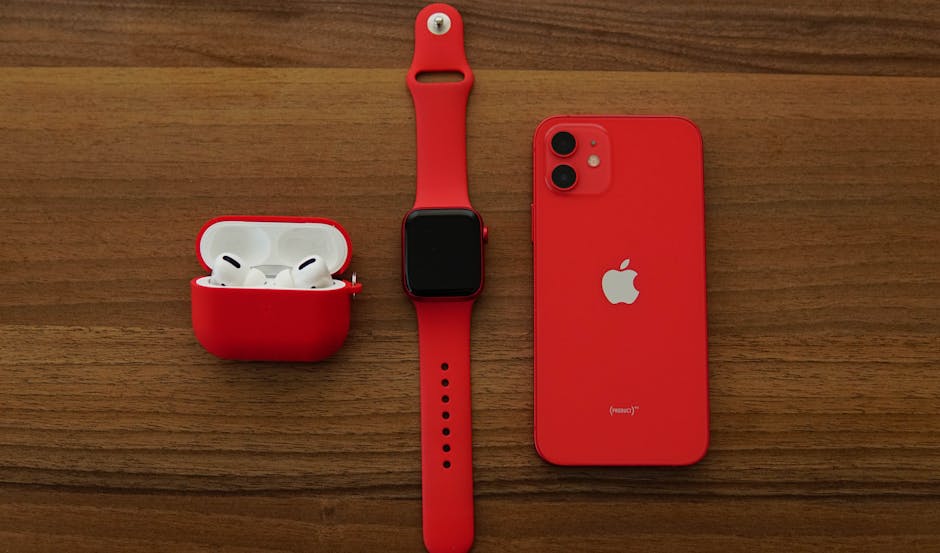
Apple Watch’s fall detection feature aims to address this problem by automatically identifying hard falls and initiating emergency protocols. But how effective is this technology in real-world scenarios? This article analyzes how Apple Watch fall detection works, its accuracy, usability for seniors, and limitations.
Key Takeaways: Apple Watch uses built-in accelerometers and gyroscopes to detect falls. It can alert emergency contacts or call 911 if the wearer is immobile. While highly innovative, fall detection is not foolproof and should complement, not replace, other safety measures.

How Apple Watch Fall Detection Works
Apple Watch models Series 4 and later come equipped with fall detection technology. The system leverages several sensors:
- Accelerometer: Measures the speed and force of movement.
- Gyroscope: Detects changes in wrist orientation.
- Algorithm: Sophisticated pattern recognition software analyzes sensor data to identify the signature movement of a fall.
When the watch detects a hard fall, it sends a haptic alert and sound notification. The wearer can either confirm they are okay or dismiss the alert. If no response is detected within 60 seconds, the watch automatically calls emergency services and sends the user’s location to preset emergency contacts.
Okay, this one might surprise you.

Key Features and Specifications
| Feature | Details |
|---|---|
| Fall Detection Activation | Enabled by default for users aged 55+ |
| Response Window | 60 seconds to cancel alert |
| Emergency Call | Automatic 911 call if unresponsive |
| Location Sharing | Real-time GPS coordinates sent to contacts |
| Sensor Accuracy | Uses 3-axis accelerometer & gyroscope |
| Supported Models | Apple Watch Series 4 and later |
| Water Resistance | Up to 50 meters (swimproof) |
| Battery Life | 18 hours typical use |
Stick with me here — this matters more than you’d think.

Comparing Apple Watch Fall Detection with Competitors
Several other wearables offer fall detection, such as the Fitbit Sense and Garmin Vivosmart 5. Below is a head-to-head comparison focusing on fall detection capability and related features:
| Feature | Apple Watch Series 8 | Fitbit Sense 2 | Garmin Vivosmart 5 |
|---|---|---|---|
| Fall Detection | Yes, automatic with emergency call | Yes, but no automatic 911 call | No fall detection |
| Emergency Call | Automatic 911 call if unresponsive | Manual SOS alert only | None |
| Location Sharing | Yes, GPS-based | No | No |
| Battery Life | 18 hours | 6+ days | 7+ days |
| Water Resistance | 50 meters | 50 meters | 50 meters |
| Price | From $399 | From $299 | From $149 |
I’d pay close attention to this section.

Pros and Cons of Apple Watch Fall Detection
Pros
- Automatic emergency calls: Critical for seniors who may be unconscious or unable to reach a phone.
- Location sharing: Emergency contacts receive precise GPS data.
- Integrated health ecosystem: Works seamlessly with iPhone, Health app, and medical ID features.
- Customizable notifications and settings: Users can tailor alerts and contacts.
- Multifunctional device: Includes heart rate monitoring, ECG, and activity tracking.
Cons
- Battery life: Requires daily charging, which might be challenging for some elderly users.
- False positives: Some activities like vigorous exercise may trigger false alerts.
- Cost: Higher price point compared to simpler fall detection devices.
- Dependence on smartphone: Emergency call feature requires connection to an iPhone.
Use Cases: Who Benefits Most?
Elderly living alone: The automatic emergency call feature ensures quick assistance even if the wearer is unconscious or immobile.
Active seniors: Those who engage in outdoor activities can benefit from the GPS tracking and fall detection combined.
Caregivers and family: Real-time alerts and location sharing provide peace of mind and enable rapid response.
Tech-savvy seniors: Users comfortable with Apple’s ecosystem will maximize the device’s utility.
Limitations and Considerations
While fall detection is a significant advancement, it is not flawless. According to a 2021 Mayo Clinic study, fall detection devices can have accuracy rates ranging from 70% to 90%, meaning false alarms or missed falls are possible. Apple Watch’s algorithm favors safety by triggering alerts on hard falls but cannot detect all fall types.
Additionally, the reliance on a paired iPhone for emergency calls limits standalone use, especially in areas without cellular coverage.
Verdict: Is Apple Watch Fall Detection Right for Your Elderly Parent?
Apple Watch fall detection offers a sophisticated, integrated safety net for elderly individuals living alone. Its automatic emergency call, location sharing, and user-friendly interface make it a compelling option for caregivers seeking proactive fall response solutions.
However, users should weigh the premium price, the need for daily charging, and occasional false alerts. It is best used as part of a broader safety strategy including home modifications, regular check-ins, and medical alert systems.
You May Also Like
- Withings ScanWatch 2 vs Apple Watch: Health Monitoring Showdown (2024)
- Calm vs Headspace: Sleep Meditation Effectiveness Uncovered (2024)
- How Noom’s Psychology Approach Solves Weight Loss Frustrations Better Than Lose It
Frequently Asked Questions (FAQ)
Does Apple Watch fall detection require an iPhone?
Yes, emergency calling and location sharing require the Apple Watch to be paired with an iPhone with cellular or Wi-Fi connectivity.
Can Apple Watch detect all types of falls?
No, the algorithm primarily detects hard falls and may not register slow or gradual falls. It is designed to minimize false positives.
What happens if the wearer cancels the fall alert?
If the alert is canceled within 60 seconds, no emergency call is made. The watch assumes the wearer is okay.
Is fall detection enabled by default?
Fall detection is automatically enabled for users aged 55 and older but can be manually activated or deactivated in settings for younger users.
This is informational content, not medical advice.
📌 You May Also Like
🔍 Explore More Topics
🔗 Helpful Resources