

A 2020 review summarized by the NIH’s National Center for Complementary and Integrative Health found that all 12 studies it examined reported beneficial effects of yoga on perceived stress in healthy adults. That matters for beginners, because the hardest part of yoga is often not flexibility or balance—it is finding a format that feels safe enough to start and simple enough to repeat.
For complete beginners, Apple Fitness+ yoga and Peloton yoga both look approachable on the surface. Both offer guided classes at home, polished instructors, and short sessions that lower the barrier to entry. But they teach the beginner experience differently: Apple Fitness+ leans into clean structure and ecosystem simplicity, while Peloton leans into class variety, instructor personality, and a broader style menu.
Key Takeaways: Apple Fitness+ is usually the smoother pick for Apple-device households that want simple setup, concise coaching, and easy integration with Apple Watch metrics. Peloton is often the stronger choice for beginners who want more yoga variety, more class personality, and a larger visible yoga catalog to grow into over time.
Quick Verdict
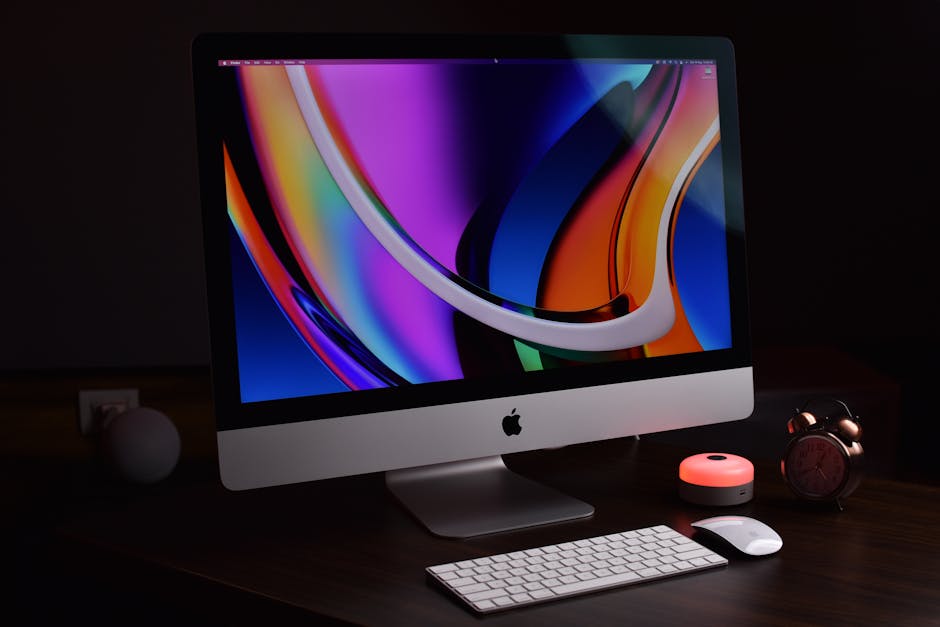
If the goal is the easiest first month of beginner yoga, Apple Fitness+ has a slight edge. Its interface is less cluttered, the class lengths are easy to filter, and the Apple Watch connection makes progress tracking feel automatic rather than technical.
If the goal is more beginner yoga paths and more room to explore different styles, Peloton is the better long-term platform. Its catalog clearly highlights formats like chair yoga, bedtime yoga, beginner yoga, focus flows, restorative sessions, and music-driven flows, which can help nervous first-timers find an entry point that matches energy, mobility, and schedule.
In plain language: Apple Fitness+ is the easier on-ramp; Peloton is the deeper yoga shelf.
What These Platforms Actually Are
Apple Fitness+ yoga
When I first tried this, I was skeptical. But after digging into the actual numbers, my perspective shifted.
Apple Fitness+ is Apple’s subscription workout service inside the Fitness app. Apple says the platform offers 12 workout types plus meditation, with new sessions added weekly and durations from 5 to 45 minutes. Yoga is one of those core formats.
The service runs on iPhone, iPad, and Apple TV, and it becomes much more data-rich when paired with Apple Watch. Apple also highlights real-time metrics, Activity Rings integration, and personalized recommendations. For beginners, that means the product is not just a yoga library; it is a structured workout layer built around the Apple ecosystem.
Peloton yoga
Peloton yoga is part of the Peloton App membership. Peloton’s yoga library includes beginner yoga, chair yoga, bedtime yoga, prenatal yoga, standing yoga, restorative sessions, focus flows, and longer flow classes. The public class page also shows yoga classes across multiple durations, including 10-, 15-, 20-, 30-, and 45-minute options, with hundreds of yoga sessions visible on the platform.
That matters because Peloton positions yoga less as a single category and more as a family of sub-disciplines. For a complete beginner, this creates two effects: more opportunity to find a comfortable starting point, and more decision fatigue if too many options appear at once.

Why the Choice Matters for Complete Beginners
Beginners do not usually fail because they picked the wrong yoga mat. They fail because the platform asks too much too early: too much jargon, too much speed, too much intensity, or too many choices.
Mayo Clinic notes that yoga may improve strength, balance, and flexibility while also helping with stress management. The NIH’s NCCIH also says yoga may support general wellness, sleep, and balance, but results vary by style and program design. In other words, consistency beats intensity (this matters), especially at the beginning.
That is why this comparison should not focus only on content quantity. A complete beginner needs five things more than anything else:
- Clear instruction with minimal jargon
- Manageable class lengths that do not feel intimidating
- Visible modifications for tight hips, weak balance, or low confidence
- Simple progression from first class to first month
- Enough motivation to come back three times next week
Apple Fitness+ and Peloton both deliver parts of that formula, but they prioritize different strengths.
I’d pay close attention to this section.
Head-to-Head Spec Comparison
| Feature | Apple Fitness+ | Peloton Yoga |
|---|---|---|
| Primary platform | Fitness app on iPhone, iPad, Apple TV | Peloton App on phone, tablet, TV, and connected devices |
| Yoga class length | 5 to 45 minutes | Commonly 10 to 45+ minutes; public page shows 10, 15, 20, 30, 45 min |
| Beginner-specific formats | Yoga plus beginner-friendly short sessions and filters | Beginner yoga, chair yoga, bedtime yoga, standing yoga, focus flow, restorative, prenatal |
| Workout types beyond yoga | 12 workout types plus meditation | Yoga plus strength, cardio, outdoor, meditation, stretching, and more |
| Heart-rate integration | Strongest with Apple Watch; also supports some Bluetooth heart-rate devices per Apple | App-based metrics; external metrics depend on device and setup |
| Beginner interface simplicity | Excellent, especially for Apple users | Good, but broader catalog can feel busier |
| Personalization | Recommendations and Custom Plans | Programs, challenges, and AI-guided recommendations in app messaging |
| Companion hardware battery life | Apple Watch battery depends on model; many buyers still compare around all-day use, typically about 18 hours on standard models | Depends on phone or tablet used for streaming; no dedicated yoga hardware required |
| GPS accuracy | Not relevant for most indoor yoga classes; if using Apple Watch for outdoor workouts, GPS depends on watch model | Not relevant for indoor yoga classes; outdoor tracking depends on phone or connected wearable |
| Water resistance | Service itself has none; Apple Watch companion devices vary, often water-resistant for swim tracking depending on model | Service itself has none; water resistance depends on phone, tablet, or wearable used |
| Catalog visibility for yoga | Curated and less overwhelming | Large visible yoga menu with many subtypes |
Note: Battery life, GPS, and water resistance are hardware-dependent because these are subscription platforms, not standalone yoga devices. For beginners focused on home yoga, those specs matter far less than coaching clarity and platform usability.
Pricing Comparison
| Pricing Item | Apple Fitness+ | Peloton Yoga |
|---|---|---|
| Monthly plan | $9.99/month | Peloton App One commonly starts around $12.99/month; App+ is typically higher for expanded access |
| Annual option | $79.99/year | Varies by membership tier and promotions |
| Free trial | Usually 1 month; longer promos may be bundled with eligible Apple devices | Often 30-day trial for new app members |
| Hardware requirement | Needs Apple device access; best experience with Apple Watch | No Peloton hardware required for yoga in app |
| Best value case | Already own iPhone/iPad/Apple TV and preferably Apple Watch | Want broader yoga variety without committing to Apple ecosystem |
For pure beginner yoga value, the real pricing question is not just the monthly fee. It is how much extra hardware friction the service creates. Apple Fitness+ becomes more compelling if an Apple household already owns the necessary devices. Peloton becomes more compelling if the buyer wants platform flexibility and does not want yoga tied to one ecosystem.
This is the part most guides skip over.
How the Beginner Experience Works in Real Life
Apple Fitness+ teaching style
Apple Fitness+ tends to feel clean, direct, and carefully paced. The app design reduces clutter, and the coaching style usually supports a “just press play” experience. That is a major advantage for beginners who feel intimidated by boutique fitness culture or unfamiliar yoga vocabulary.
The biggest strength is low cognitive load. If someone already uses Apple Watch, the metrics are on-screen, the recommendations feel integrated, and the next workout suggestion is rarely hard to find. For habit building, that smoothness matters more than many buyers realize.
Peloton teaching style
Peloton’s strength is range. A beginner who dislikes one instructor’s pacing or voice can often switch styles quickly and still stay within yoga. The platform’s visible categories—such as chair yoga, bedtime yoga, focus flows, and restorative options—make it easier to match class style to real-life barriers like stiffness, fatigue, poor balance, or low motivation.
The risk is that more choice can slow action. Beginners sometimes spend 15 minutes browsing a platform for the “perfect” class instead of finishing a good-enough 10-minute session. Peloton is excellent when used intentionally; it is less ideal for people who get overwhelmed by abundance.
Which one explains yoga jargon better?
For complete beginners, Apple Fitness+ usually feels more beginner-proof because it is less sprawling. Peloton often gives more pathways, but Apple more often gives the calmer first impression. That said, Peloton’s class labeling is more obviously useful if a beginner knows specific needs already—such as bedtime yoga, shoulder mobility, or chair-based movement.
Getting Started: The Best First 2 Weeks
If the reader is starting from zero, the right plan is not “do hard yoga.” It is “remove excuses.” Both platforms can work with the same simple two-week progression.
Week 1
- Day 1: 10-minute beginner or slow flow class
- Day 3: 10-minute mobility or focus flow
- Day 5: 15-minute beginner session
The goal is not calorie burn. The goal is learning how the instructor cues breathing, transitions, and basic poses without feeling rushed.
Week 2
- Day 1: 15-minute beginner flow
- Day 3: 10-minute restorative or hips-focused session
- Day 5: 20-minute beginner flow
Apple Fitness+ is especially good here if the beginner wants a compact, repeatable routine and automatic progress tracking. Peloton is especially good if the beginner wants to mix mood-based sessions—such as morning flow one day and bedtime yoga the next—without leaving the same app.
For both platforms, the minimum starter gear is simple:
- A stable mat
- Enough floor space to extend arms
- A towel or yoga blocks if hamstrings are tight
- Optional strap for limited mobility
- Device stand or TV screen that keeps the neck neutral
Advanced Tips Beginners Usually Need Sooner Than Expected
Yes, this is a beginner guide. But some “advanced” tips are really beginner-protection tactics.
1. Filter by outcome, not brand prestige
If stress relief is the main goal, a 10-minute restorative or slow flow class often beats a longer athletic flow. NIH and Mayo Clinic both emphasize yoga’s wellness and stress-related benefits, so the right session is the one the beginner can repeat consistently.
2. Use shorter classes to build form quality
Many beginners assume longer equals better. In reality, 10 to 20 minutes is often ideal for learning alignment and breathing without compensating through sloppy form. Apple’s 5-to-45-minute structure is strong here, and Peloton’s short focus flows serve the same purpose.
3. Track consistency, not calories
Apple Fitness+ has an advantage if a user finds motivation in rings, heart-rate data, and on-screen metrics. Peloton has an advantage if a user prefers streaks, programs, and community-style accountability. The best metric is the one that increases next-week adherence.
4. Choose one instructor for the first five classes
Beginners learn faster when cueing language stays consistent. Switching instructors every session can make yoga feel harder than it is, because each coach describes movement differently.
5. Avoid power-focused sessions too early
A beginner who starts with intense vinyasa-style work may confuse fatigue with progress. For the first two weeks, prioritize gentle flow, mobility, or restorative formats before moving into faster sequences.
This next part is where it gets interesting.

You May Also Like
- Withings ScanWatch 2 vs Apple Watch: Health Tracking (2025)
- Withings ScanWatch 2 vs Apple Watch: Health Features
- Noom vs Lose It: Weight Loss Myths (2025)
Pros and Cons for Each Platform
Apple Fitness+ Pros
- Very easy setup for Apple users
- Clean interface that reduces beginner overwhelm
- Apple Watch integration makes tracking seamless
- Short class options support habit building
- Custom Plans and recommendations simplify next steps
Apple Fitness+ Cons
- Best experience depends on Apple ecosystem
- Less obviously yoga-specialized than Peloton’s category depth
- May feel limited for users who want many yoga substyles and niche formats
Peloton Yoga Pros
- Broader visible yoga catalog with more style variety
- Beginner-friendly categories like chair and bedtime yoga
- Strong instructor diversity and class personality
- No Peloton hardware required for app-based yoga
- Good long-term growth path as ability improves
Peloton Yoga Cons
- More choice can overwhelm beginners
- Membership tiers can be less straightforward than Apple’s pricing
- Metrics experience is less unified without a tightly integrated wearable ecosystem
Common Pitfalls Complete Beginners Should Avoid
Pitfall 1: Picking the harder-looking app because it seems more serious. A platform that feels easy to open is usually the better beginner platform.
Pitfall 2: Treating yoga like a flexibility test. Mayo Clinic and NIH both frame yoga as a broad wellness and movement practice, not a contest for the deepest stretch.
Pitfall 3: Buying based on catalog size alone. A huge library does not matter if the user never finishes session one.
Pitfall 4: Ignoring modification visibility. Beginners need cueing for knees, wrists, tight hips, and low balance confidence. That is often more important than soundtrack or studio style.
Pitfall 5: Expecting yoga to feel intuitive immediately. The first week often feels awkward. The right platform is the one that makes awkwardness feel normal, not embarrassing.
Which One Should You Pick?
Pick Apple Fitness+ if:
- You already use an iPhone, iPad, Apple TV, or Apple Watch
- You want the simplest possible setup
- You are motivated by metrics and guided plans
- You prefer a calmer, more curated beginner experience
Pick Peloton yoga if:
- You want more yoga variety from day one
- You like choosing by mood, body area, or substyle
- You want visible beginner formats such as chair, bedtime, or focus flow sessions
- You prefer growing into a large yoga library over time
For most complete beginners: Apple Fitness+ is the safer recommendation for friction-free starting. For most beginners who know they want yoga depth: Peloton is the stronger recommendation.
The smartest choice is not “which brand is better?” It is “which platform makes three sessions next week more likely?” That is the platform that usually wins.
FAQ
Is Apple Fitness+ or Peloton yoga better for absolute beginners?
Apple Fitness+ is usually easier for absolute beginners because the interface is simpler and the ecosystem integration reduces setup friction. Peloton is better for beginners who want more yoga-specific variety right away.
Do you need an Apple Watch for Apple Fitness+ yoga?
No, but the experience is stronger with Apple Watch because real-time metrics and activity tracking are more seamless. Apple also notes support for certain Bluetooth heart-rate devices in parts of the Fitness+ experience.
Does Peloton yoga require Peloton hardware?
No. Beginners can access yoga through the Peloton App without buying a Peloton Bike or Tread.
Which platform has more yoga class variety?
Peloton appears stronger on visible variety, with chair yoga, bedtime yoga, standing yoga, restorative, prenatal, focus flows, and multiple class lengths shown publicly. Apple Fitness+ is broader as an overall workout platform but more curated within the yoga experience.
Can yoga apps actually help with stress and mobility?
Research summarized by the NIH suggests yoga may help with perceived stress, balance, and general wellness, while Mayo Clinic notes potential benefits for strength, balance, flexibility, and stress management. Results depend on consistency, class choice, and individual health status.
What is the best first class length for a beginner?
For most beginners, 10 to 15 minutes is the best starting range. It is long enough to learn the basics and short enough to repeat without dread.
Sources referenced: Apple Fitness+ product information, Apple support documentation, Peloton class and app membership pages, NIH NCCIH yoga guidance, Mayo Clinic yoga overview, plus product framing commonly evaluated by review outlets such as PCMag and Wirecutter.
This is informational content, not medical advice.
📌 You May Also Like