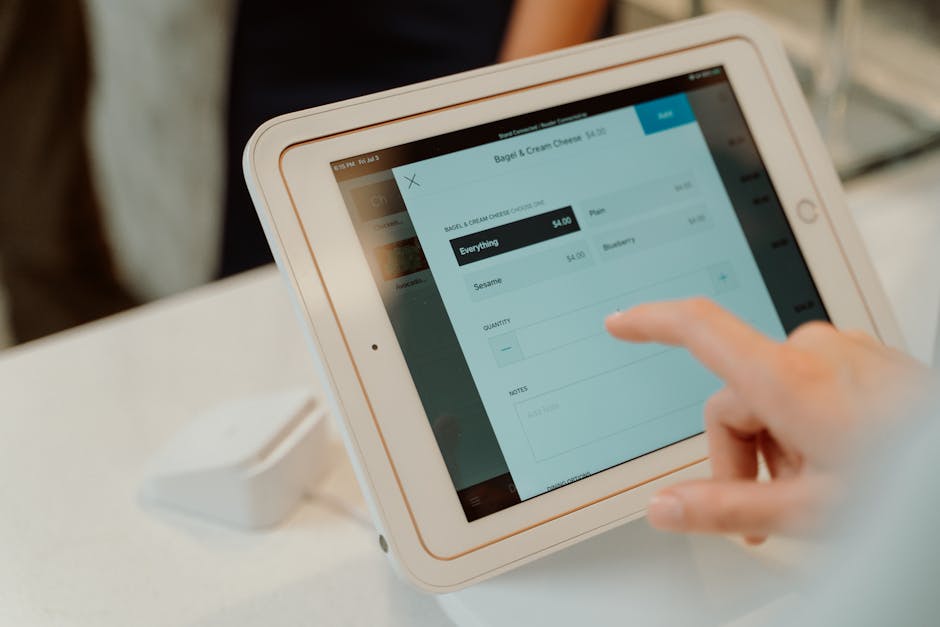

A large NIH-backed review of self-monitoring research found that people who log food intake more consistently tend to achieve better weight-management outcomes than those who estimate portions from memory. That matters because calorie tracking errors often start with one simple issue: the wrong food entry.
MyFitnessPal’s barcode scanner is designed to reduce that problem by matching packaged foods to database entries in seconds. Used correctly, it can make meal logging faster, more consistent, and far more accurate than relying on generic search alone.
Key Takeaways: The MyFitnessPal barcode scanner works best when users verify serving size, calories per serving, package changes, and duplicate listings. It is most accurate for packaged foods with standard labels, but it is less reliable for restaurant meals, homemade recipes, and reformulated products. Accuracy improves further when barcode scans are combined with portion weighing, label checks, and recipe logging.

Why barcode scanning matters for calorie accuracy
Calorie tracking apps are only as good as the data users enter. Mayo Clinic nutrition guidance and multiple NIH research summaries point to self-monitoring as one of the strongest behavioral tools for managing energy intake, but consistency and accuracy are the real challenge.
That is where the barcode scanner helps. Instead of typing broad terms like granola bar or Greek yogurt, users can scan the exact packaged item and reduce the odds of selecting a near match with very different calories, sugar, protein, or serving size.
For busy users, that speed also matters. PCMag and Wirecutter have both highlighted food logging convenience as a major factor in whether people stick with nutrition apps long enough to benefit from them.
How the MyFitnessPal barcode scanner actually works
The scanner uses a phone camera to read the UPC or EAN barcode on packaged food. It then searches MyFitnessPal’s food database for a linked entry, ideally showing the nutrition facts and serving details tied to that exact product.
In practice, that means the feature is strongest for store-bought foods such as cereal, bread, protein bars, bottled drinks, frozen meals, and snacks. It is much less useful for fresh produce without retail packaging, restaurant meals, or foods prepared at home.
| Feature | MyFitnessPal Barcode Scanner | What It Helps With |
|---|---|---|
| Scan speed | Usually a few seconds on a modern phone camera | Faster logging than manual search |
| Database match | Finds packaged food entries by barcode | Reduces generic search mistakes |
| Serving entry | User still chooses serving amount | Improves precision when portions differ |
| Best use case | Packaged foods with printed nutrition labels | Higher confidence in calorie totals |
| Weakest use case | Restaurant, homemade, unlabeled foods | May require manual logging |
One important limitation: a successful scan is not the same as a verified entry. Users still need to confirm that the product name, serving size, and calories match the current package in hand.

How to use MyFitnessPal barcode scanner the right way
The fastest way to create inaccurate logs is to treat scanning as fully automatic. The better approach is to use the scanner as a first filter, then validate the nutrition details before saving the meal.
1. Scan the package before plating
It is easier to log accurately when the full package is available. That lets users compare the app entry against the printed nutrition panel, ingredient list, and serving size before throwing away the wrapper or box.
2. Match the exact product name
Many foods come in multiple flavors, sizes, or formulas. A high-protein version, reduced-sugar version, or mini-size package may look almost identical to the standard version but have very different calories.
3. Check calories and macros against the label
Look at calories, protein, carbohydrates, fat, fiber, and sugar. If the scanned entry differs from the package, the package should usually take priority for current nutrition facts.
4. Confirm the serving size
This is where many tracking mistakes happen. If the label says one serving is 28 grams, but the user eats 42 grams, the app entry needs to be adjusted to 1.5 servings instead of one.
5. Use a kitchen scale when possible
Nutrition researchers consistently note that portion size estimation is one of the biggest sources of calorie underreporting. Weighing foods in grams makes barcode-based logging significantly more reliable than eyeballing cups, handfuls, or pieces.
- Best for accuracy: scan the barcode, then weigh the amount eaten
- Good backup: use listed serving units if the package offers clear piece counts
- Least accurate: estimate visually without measuring
Common calorie-tracking mistakes the scanner cannot fix
The barcode tool can improve data entry, but it cannot solve every logging problem. Most calorie inaccuracies come from behavior, not software alone.
Ignoring serving size differences
A scanned box of crackers may list 140 calories per serving, but that only applies to the stated amount. Eating two servings while logging one is still one of the most common user errors.
Using outdated database entries
Manufacturers reformulate products regularly. A cereal or protein shake may have new calories, sweeteners, sodium levels, or protein content even when the packaging looks familiar.
Logging prepared foods as dry foods
Rice, pasta, oats, and similar items create confusion because labels may refer to dry weight while users log cooked volume. Barcode scanning helps identify the product, but it does not automatically resolve cooked-versus-dry measurement issues.
Forgetting add-ons and condiments
The scanner can identify salad dressing, peanut butter, coffee creamer, or cooking spray, but users often skip those items entirely. According to many nutrition coaches and weight-management programs, these overlooked extras can meaningfully change total intake.
Assuming all duplicate entries are equally accurate
Crowdsourced nutrition databases can contain duplicates, older uploads, or user-generated mistakes. If multiple results appear after scanning, choose the entry that best matches the current nutrition label.

When MyFitnessPal barcode scanning is most and least accurate
Barcode tools are not equally dependable across all food categories. Knowing where they work well can save time and reduce frustration.
| Food Type | Expected Accuracy | Why |
|---|---|---|
| Packaged snacks | High | Clear barcode and standard label data |
| Protein powders and bars | Moderate to high | Often accurate, but formulas change often |
| Frozen meals | High | Usually standardized serving information |
| Fresh produce | Low | Often no barcode tied to edible portion data |
| Restaurant food | Low | Barcode system usually not relevant |
| Homemade meals | Low | Requires recipe builder, not barcode scanning |
For athletes, lifters, and people in a fat-loss phase, this distinction matters. Packaged foods are easier to log with confidence, while mixed dishes and eating out still require more estimation or recipe-based tracking.
How it compares with manual food search
Manual search still has a place, especially for single-ingredient foods and meals without packaging. But for branded items, barcode scanning usually wins on speed and specificity.
| Method | Speed | Accuracy Potential | Best For |
|---|---|---|---|
| Barcode scanner | Fast | High if label is verified | Packaged foods |
| Manual search | Moderate | Variable | Whole foods and restaurant items |
| Recipe builder | Slower upfront | High for repeated homemade meals | Meal prep and family cooking |
| Quick add calories | Fastest | Low | Rough estimates only |
Wirecutter and PCMag coverage of nutrition apps has repeatedly emphasized that usability drives adherence. From that perspective, MyFitnessPal’s scanner is valuable not because it is perfect, but because it lowers friction enough that more people keep logging.
That said, users focused on precision should not depend on scanning alone. A kitchen scale, recipe builder, and occasional label verification still do most of the heavy lifting for accurate calorie tracking meals.

Practical tips to make meal logs more accurate
If the goal is better calorie awareness rather than just faster app use, a few habits can make a noticeable difference.
- Scan before eating: logging after the meal increases forgotten ingredients and inaccurate portion recall.
- Prefer gram-based entries: grams are usually more precise than cups or pieces.
- Save frequent meals: once a verified breakfast or snack is correct, reusing it reduces repeat errors.
- Build recipes for meal prep: barcode scan the ingredients, then divide by servings for more realistic totals.
- Recheck reformulated foods: compare labels every time packaging changes.
- Watch multipacks: calories may be listed per bar, per pouch, or per container, depending on the package.
Another useful strategy is to focus on consistency before perfection. Research on dietary self-monitoring suggests that regular logging behavior matters, but better data quality improves the value of that consistency.
Who should use the barcode scanner most often?
This feature is especially useful for people whose diets include many branded or packaged foods. That includes office workers eating convenience meals, gym-goers using protein products, and beginners who find nutrition logging overwhelming.
It is also practical for anyone trying to answer a specific question, such as whether they are actually hitting a protein target or underestimating snack calories. The scanner shortens the path between seeing the package and getting usable nutrition data.
On the other hand, people who cook most meals from scratch may get more benefit from learning recipe tools than relying on barcode scans. For them, the scanner is best treated as a supplement rather than the center of the workflow.
Bottom line: does it improve calorie tracking?
Yes, when used carefully. MyFitnessPal’s barcode scanner can improve calorie tracking accuracy by reducing wrong-item selection and speeding up meal logging for packaged foods.
But it is not a magic fix. The biggest gains come when users verify the label, measure the portion, and use recipe tools for foods that barcodes cannot describe well.
In other words, the scanner is a convenience feature with real accuracy benefits, not a substitute for nutrition literacy. For most users, that still makes it one of the most useful functions in a calorie-tracking app.
This is informational content, not medical advice.
FAQ
Is MyFitnessPal barcode scanner accurate for calorie tracking?
It can be accurate for packaged foods if the scanned entry matches the current nutrition label and the serving size is entered correctly. It is less accurate for restaurant meals, homemade foods, and items with outdated database listings.
Why does my scanned food sometimes show the wrong calories?
Possible reasons include old database entries, user-generated duplicates, product reformulations, or selecting the wrong package size. Always compare the scanned result with the printed nutrition facts panel.
Should I use the barcode scanner or search manually?
Use the barcode scanner for packaged branded foods and manual search for whole foods, restaurant meals, or unlabeled items. For homemade meals, a recipe builder is usually more accurate than either option alone.
Can barcode scanning replace weighing food?
No. Barcode scanning identifies the product, but a food scale improves portion accuracy. For precise calorie tracking meals, combining scans with gram measurements is usually the strongest approach.
Sources referenced: Mayo Clinic nutrition guidance on food labels and portion awareness; NIH and PubMed summaries on self-monitoring and weight management; product and app analysis perspectives from Wirecutter and PCMag.
📌 You May Also Like